aramintak/pop-art-anime 🔢📝❓✓ → 🖼️
Performance
5.6sTypical run time
1.3KTotal runs
About
A very blocky and bold cartoon style with some anime elements. You should use daiton style to trigger the image generation.
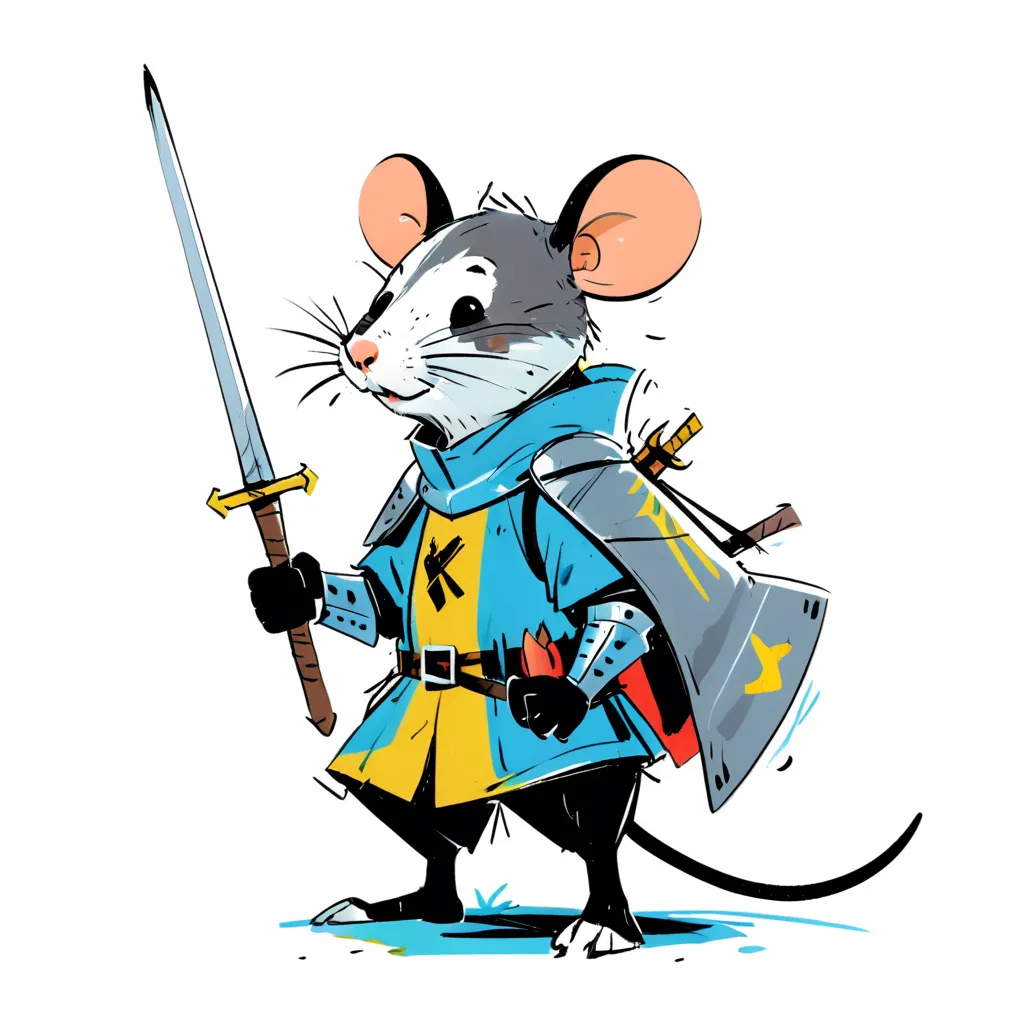
Example Output
Prompt:
"a mouse knight, daiton style"
Output
Performance Metrics
5.57s
Prediction Time
5.62s
Total Time
All Input Parameters
{
  "width": 1024,
  "height": 1024,
  "prompt": "a mouse knight, daiton style",
  "lora_strength": 1,
  "output_format": "webp",
  "output_quality": 80,
  "negative_prompt": "",
  "number_of_images": 1
}
Input Parameters
- cfg
- Advanced. Leave empty to use recommended CFG (classifier free guidance). This changes how much the prompt influences the output. Set it only if you want to customise.
- seed
- Set a seed for reproducibility. Random by default.
- steps
- Advanced. Leave empty to use recommended steps. Set it only if you want to customise the number of steps to run the sampler for.
- width
- height
- prompt
- sampler
- Advanced. Change the sampler used for generation. Default is what we think gives the best images.
- scheduler
- Advanced. Change the scheduler used for generation. Default is what we think gives the best images.
- lora_strength
- Strength of the lora to use for the generation. Default is 1.0.
- output_format
- Format of the output images
- output_quality
- Quality of the output images, from 0 to 100. 100 is best quality, 0 is lowest quality.
- negative_prompt
- Things you do not want to see in your image
- number_of_images
- Number of images to generate
- disable_safety_checker
- Disable safety checker for generated images.
Output Schema
Output
Example Execution Logs
Random seed set to: 3250873027
Running workflow
got prompt
Executing node 6, title: CLIP Text Encode (Prompt), class type: CLIPTextEncode
Executing node 3, title: KSampler, class type: KSampler
  0%|          | 0/20 [00:00<?, ?it/s]
  5%|▌         | 1/20 [00:00<00:03,  5.33it/s]
 10%|█         | 2/20 [00:00<00:03,  5.25it/s]
 15%|█▌        | 3/20 [00:00<00:03,  5.22it/s]
 20%|██        | 4/20 [00:00<00:03,  5.21it/s]
 25%|██▌       | 5/20 [00:00<00:02,  5.21it/s]
 30%|███       | 6/20 [00:01<00:02,  5.19it/s]
 35%|███▌      | 7/20 [00:01<00:02,  5.18it/s]
 40%|████      | 8/20 [00:01<00:02,  5.17it/s]
 45%|████▌     | 9/20 [00:01<00:02,  5.16it/s]
 50%|█████     | 10/20 [00:01<00:01,  5.17it/s]
 55%|█████▌    | 11/20 [00:02<00:01,  5.19it/s]
 60%|██████    | 12/20 [00:02<00:01,  5.18it/s]
 65%|██████▌   | 13/20 [00:02<00:01,  5.20it/s]
 70%|███████   | 14/20 [00:02<00:01,  5.22it/s]
 75%|███████▌  | 15/20 [00:02<00:00,  5.24it/s]
 80%|████████  | 16/20 [00:03<00:00,  5.24it/s]
 85%|████████▌ | 17/20 [00:03<00:00,  5.25it/s]
 90%|█████████ | 18/20 [00:03<00:00,  5.25it/s]
 95%|█████████▌| 19/20 [00:03<00:00,  5.28it/s]
100%|██████████| 20/20 [00:03<00:00,  5.31it/s]
100%|██████████| 20/20 [00:03<00:00,  5.23it/s]
Executing node 8, title: VAE Decode, class type: VAEDecode
Executing node 9, title: Save Image, class type: SaveImage
Prompt executed in 4.21 seconds
outputs:  {'9': {'images': [{'filename': 'R8__00001_.png', 'subfolder': '', 'type': 'output'}]}}
====================================
R8__00001_.png
Version Details
- Version ID
dacbdf2b22915da3b08624cf13d05544f3b7fe44d7e3b011624be2074dd65b83- Version Created
- June 8, 2024