mattheum/flux-multi-pulid-controlnet 🔢📝✓🖼️❓ → 🖼️
Performance
About
Hey, this is a fork of flux pulid to support multiple ids, use with a depth map and define bounding boxes for each face
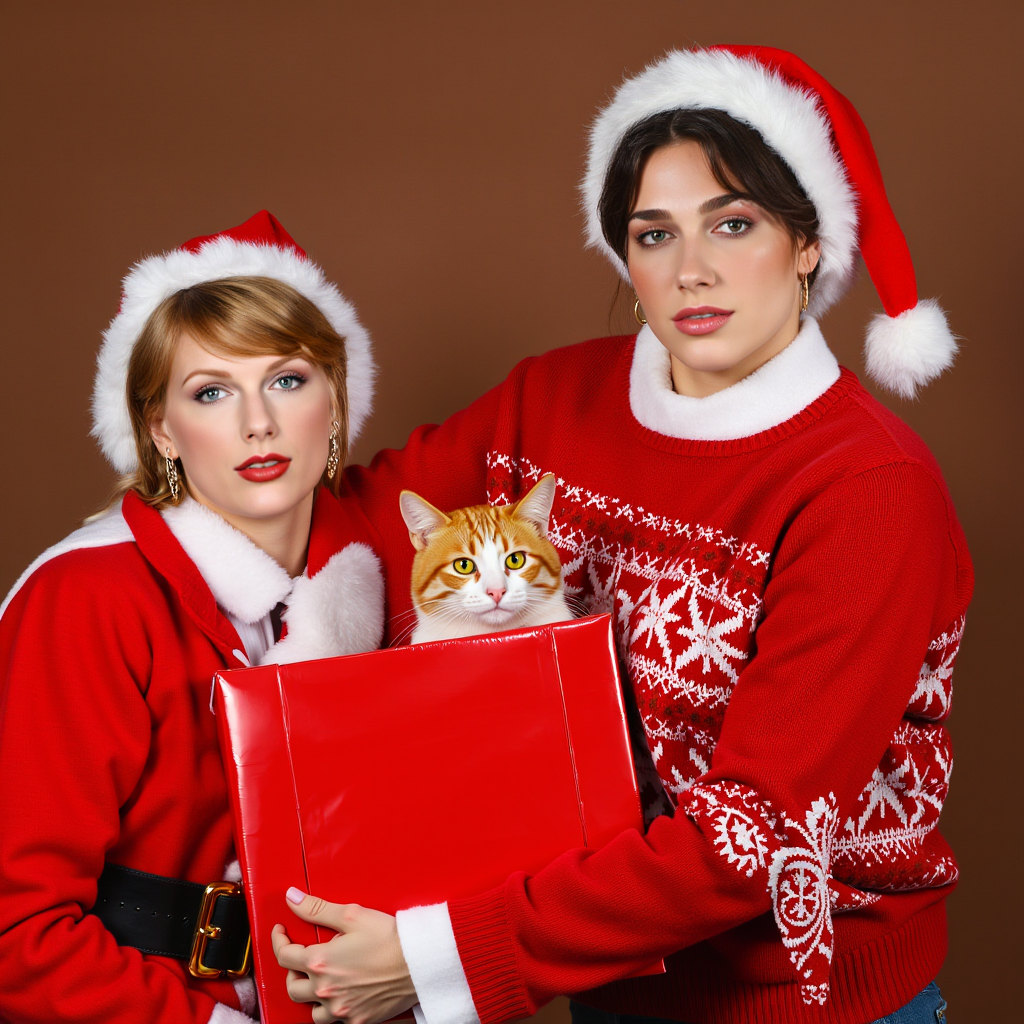
Example Output
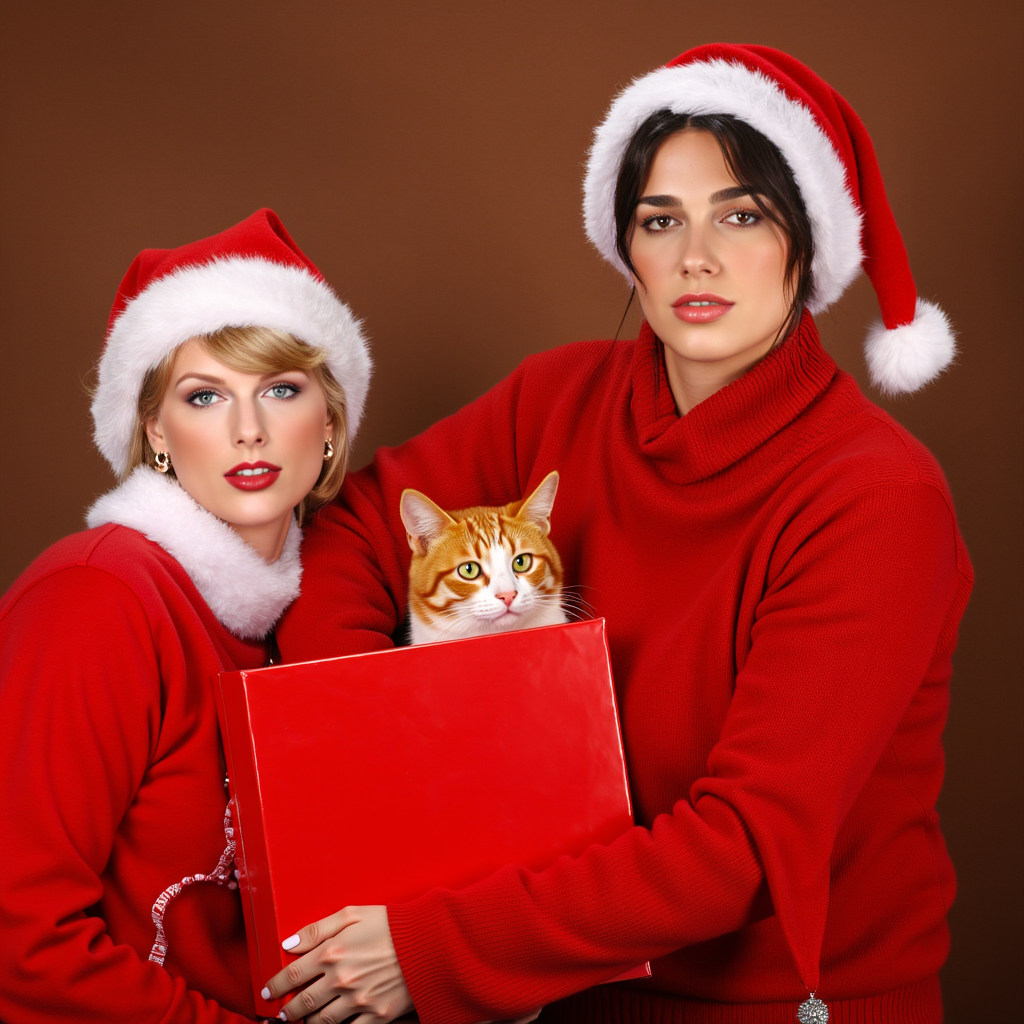
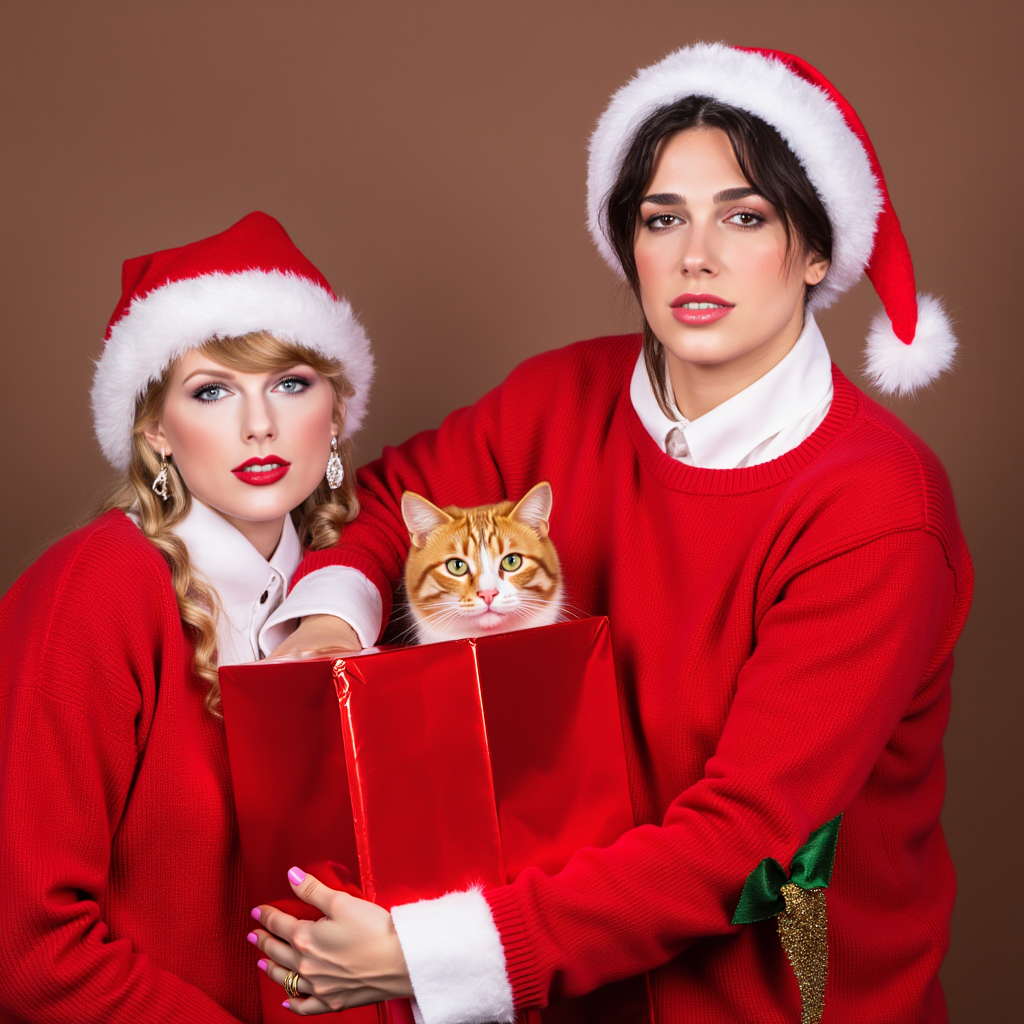
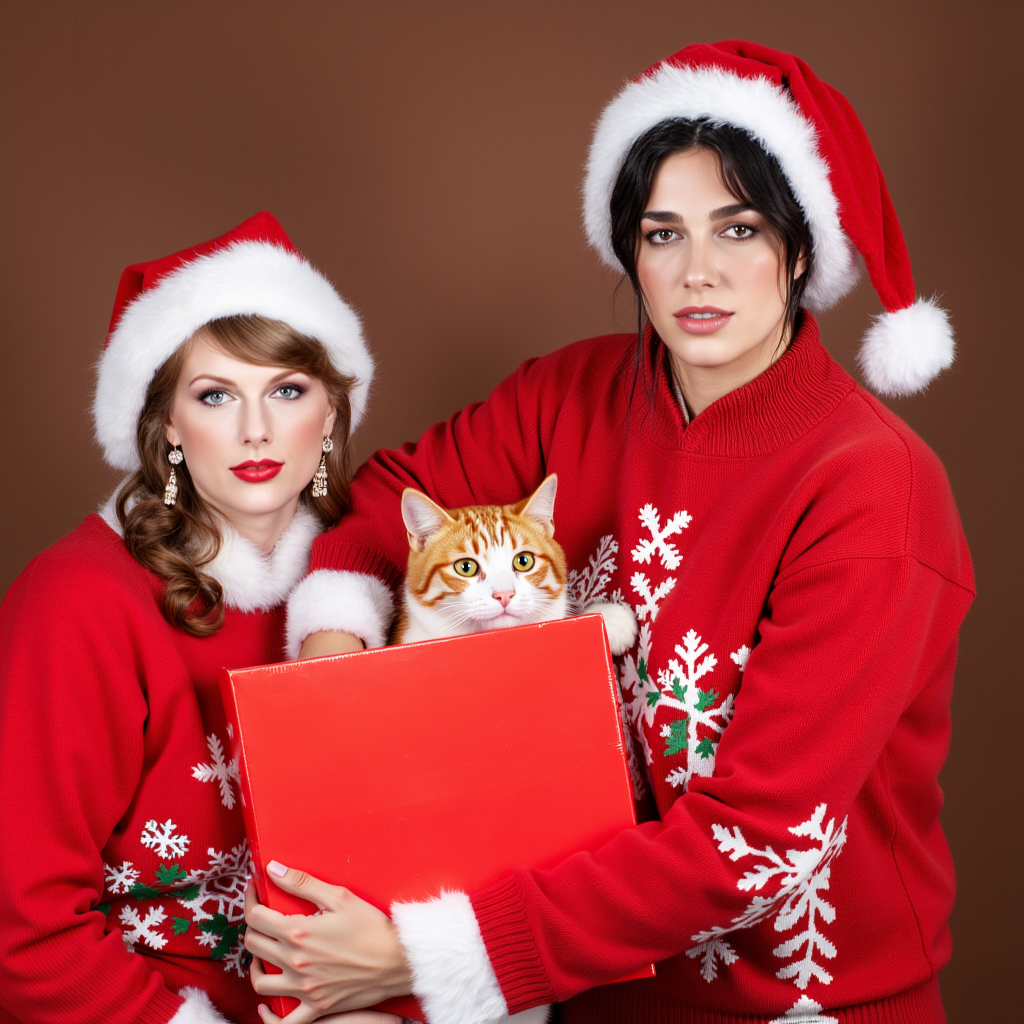
"IMG_1229.JPEG realistic photo of In the image, there are two people and a cat, all dressed in festive Christmas attire. The person on the left is clad in a red Santa hat and a matching red sweater, while the person on the right is wearing a red Santa hat and a red sweater with a white collar. The cat, which is orange and white, is comfortably nestled in the arms of the person on the right. The trio is positioned against a brown background, which contrasts nicely with their vibrant clothing. The person on the right is holding a red gift box, adding to the holiday theme of the image. The overall composition of the image suggests a warm and festive Christmas scene."
Output
Performance Metrics
All Input Parameters
{
  "width": 1024,
  "height": 1024,
  "prompt": "IMG_1229.JPEG realistic photo of In the image, there are two people and a cat, all dressed in festive Christmas attire. The person on the left is clad in a red Santa hat and a matching red sweater, while the person on the right is wearing a red Santa hat and a red sweater with a white collar. The cat, which is orange and white, is comfortably nestled in the arms of the person on the right. The trio is positioned against a brown background, which contrasts nicely with their vibrant clothing. The person on the right is holding a red gift box, adding to the holiday theme of the image. The overall composition of the image suggests a warm and festive Christmas scene.",
  "true_cfg": 1,
  "id_weight": 1,
  "num_steps": 28,
  "start_step": 0,
  "num_outputs": 4,
  "id_one_image": "https://res.cloudinary.com/drlrggibf/image/upload/c_crop,h_566,w_419,x_266,y_90/v1/default/gjsogobwvaiu207tvdfx?_a=BAMCkGfi0",
  "id_two_image": "https://res.cloudinary.com/drlrggibf/image/upload/c_crop,h_717,w_546,x_263,y_150/v1/default/mbebnmztyowz8jkulcyc?_a=BAMCkGfi0",
  "output_format": "png",
  "guidance_scale": 13,
  "output_quality": 100,
  "negative_prompt": "bad quality, worst quality, text, signature, watermark, extra limbs, low resolution, partially rendered objects, deformed or partially rendered eyes, deformed or partially rendered eyeballs, cross-eyed, blurry",
  "control_net_image": "https://sillyrobotcards.ams3.cdn.digitaloceanspaces.com/templates/2efb0893-b957-4400-99f6-7620ab0bb3c8",
  "bounding_box_one_x": 543,
  "bounding_box_one_y": -36.5,
  "bounding_box_two_x": 82,
  "bounding_box_two_y": 172.5,
  "max_sequence_length": 512,
  "use_depth_controlnet": true,
  "bounding_box_one_width": 364,
  "bounding_box_two_width": 336,
  "bounding_box_one_height": 534,
  "bounding_box_two_height": 442
}
Input Parameters
- seed
- Set a random seed for generation (leave blank or -1 for random)
- width
- Set the width of the generated image (256-1536 pixels)
- height
- Set the height of the generated image (256-1536 pixels)
- prompt
- Enter a text prompt to guide image generation
- true_cfg
- Set the Classifier-Free Guidance (CFG) scale. 1.0 uses standard CFG, while values >1.0 enable True CFG for more precise control over generation. Higher values increase adherence to the prompt at the cost of image quality.
- id_weight
- Set the weight of the ID image influence (0.0-3.0)
- num_steps
- Set the number of denoising steps (1-25)
- use_local
- Use the local depth model
- start_step
- Set the timestep to start inserting ID (0-4 recommended, 0 for highest fidelity, 4 for more editability)
- num_outputs
- Set the number of images to generate (1-4)
- id_one_image
- Upload an image to guide the generation
- id_six_image
- Upload an image to guide the generation
- id_ten_image
- Upload an image to guide the generation
- id_two_image
- Upload an image to guide the generation
- id_five_image
- Upload an image to guide the generation
- id_four_image
- Upload an image to guide the generation
- id_nine_image
- Upload an image to guide the generation
- output_format
- Choose the format of the output image
- guidance_scale
- Set the guidance scale for text prompt influence (1.0-10.0)
- id_eight_image
- Upload an image to guide the generation
- id_seven_image
- Upload an image to guide the generation
- id_three_image
- Upload an image to guide the generation
- output_quality
- Set the quality of the output image for jpg and webp (1-100)
- negative_prompt
- Enter a negative prompt to specify what to avoid in the image
- img_to_img_image
- Upload an image to guide the generation
- control_net_image
- Upload an image to guide the generation
- bounding_box_one_x
- Set the x coordinate of the bounding box for the first face swap
- bounding_box_one_y
- Set the y coordinate of the bounding box for the first face swap
- bounding_box_six_x
- Set the x coordinate of the bounding box for the sixth face swap
- bounding_box_six_y
- Set the y coordinate of the bounding box for the sixth face swap
- bounding_box_ten_x
- Set the x coordinate of the bounding box for the tenth face swap
- bounding_box_ten_y
- Set the y coordinate of the bounding box for the tenth face swap
- bounding_box_two_x
- Set the x coordinate of the bounding box for the second face swap
- bounding_box_two_y
- Set the y coordinate of the bounding box for the second face swap
- bounding_box_five_x
- Set the x coordinate of the bounding box for the fifth face swap
- bounding_box_five_y
- Set the y coordinate of the bounding box for the fifth face swap
- bounding_box_four_x
- Set the x coordinate of the bounding box for the fourth face swap
- bounding_box_four_y
- Set the y coordinate of the bounding box for the fourth face swap
- bounding_box_nine_x
- Set the x coordinate of the bounding box for the ninth face swap
- bounding_box_nine_y
- Set the y coordinate of the bounding box for the ninth face swap
- max_sequence_length
- Set the max sequence length for prompt (T5), smaller is faster (128-512)
- bounding_box_eight_x
- Set the x coordinate of the bounding box for the eighth face swap
- bounding_box_eight_y
- Set the y coordinate of the bounding box for the eighth face swap
- bounding_box_seven_x
- Set the x coordinate of the bounding box for the seventh face swap
- bounding_box_seven_y
- Set the y coordinate of the bounding box for the seventh face swap
- bounding_box_three_x
- Set the x coordinate of the bounding box for the third face swap
- bounding_box_three_y
- Set the y coordinate of the bounding box for the third face swap
- image2image_strength
- Set the strength of the image to image guidance (0.0-1.0)
- use_canny_controlnet
- Use the Canny controlnet
- use_depth_controlnet
- Use the Depth controlnet
- bounding_box_one_width
- Set the width of the bounding box for the first face swap
- bounding_box_six_width
- Set the width of the bounding box for the sixth face swap
- bounding_box_ten_width
- Set the width of the bounding box for the tenth face swap
- bounding_box_two_width
- Set the width of the bounding box for the second face swap
- bounding_box_five_width
- Set the width of the bounding box for the fifth face swap
- bounding_box_four_width
- Set the width of the bounding box for the fourth face swap
- bounding_box_nine_width
- Set the width of the bounding box for the ninth face swap
- bounding_box_one_height
- Set the height of the bounding box for the first face swap
- bounding_box_six_height
- Set the height of the bounding box for the sixth face swap
- bounding_box_ten_height
- Set the height of the bounding box for the tenth face swap
- bounding_box_two_height
- Set the height of the bounding box for the second face swap
- bounding_box_eight_width
- Set the width of the bounding box for the eighth face swap
- bounding_box_five_height
- Set the height of the bounding box for the fifth face swap
- bounding_box_four_height
- Set the height of the bounding box for the fourth face swap
- bounding_box_nine_height
- Set the height of the bounding box for the ninth face swap
- bounding_box_seven_width
- Set the width of the bounding box for the seventh face swap
- bounding_box_three_width
- Set the width of the bounding box for the third face swap
- bounding_box_eight_height
- Set the height of the bounding box for the eighth face swap
- bounding_box_seven_height
- Set the height of the bounding box for the seventh face swap
- bounding_box_three_height
- Set the height of the bounding box for the third face swap
Output Schema
Output
Example Execution Logs
/root/.pyenv/versions/3.11.10/lib/python3.11/site-packages/insightface/utils/transform.py:68: FutureWarning: `rcond` parameter will change to the default of machine precision times ``max(M, N)`` where M and N are the input matrix dimensions.
To use the future default and silence this warning we advise to pass `rcond=None`, to keep using the old, explicitly pass `rcond=-1`.
P = np.linalg.lstsq(X_homo, Y)[0].T # Affine matrix. 3 x 4
Face swaps: [{'selected_face_url': Path('/tmp/tmpwusbspi1gjsogobwvaiu207tvdfx'), 'bounding_box': {'x': 543.0, 'y': -36.5, 'width': 364.0, 'height': 534.0}}, {'selected_face_url': Path('/tmp/tmpxs_2yf11mbebnmztyowz8jkulcyc'), 'bounding_box': {'x': 82.0, 'y': 172.5, 'width': 336.0, 'height': 442.0}}]
Using seeds: [3239106113, 2712809279, 3871895873, 1357698743]
Face swaps: [{'selected_face_url': Path('/tmp/tmpwusbspi1gjsogobwvaiu207tvdfx'), 'bounding_box': {'x': 543.0, 'y': -36.5, 'width': 364.0, 'height': 534.0}}, {'selected_face_url': Path('/tmp/tmpxs_2yf11mbebnmztyowz8jkulcyc'), 'bounding_box': {'x': 82.0, 'y': 172.5, 'width': 336.0, 'height': 442.0}}]
Face swaps predict: [{'selected_face_url': Path('/tmp/tmpwusbspi1gjsogobwvaiu207tvdfx'), 'bounding_box': {'x': 543.0, 'y': -36.5, 'width': 364.0, 'height': 534.0}}, {'selected_face_url': Path('/tmp/tmpxs_2yf11mbebnmztyowz8jkulcyc'), 'bounding_box': {'x': 82.0, 'y': 172.5, 'width': 336.0, 'height': 442.0}}]
swap: {'selected_face_url': Path('/tmp/tmpwusbspi1gjsogobwvaiu207tvdfx'), 'bounding_box': {'x': 543.0, 'y': -36.5, 'width': 364.0, 'height': 534.0}}
Mask dimensions: 1024x1024
Drawing rectangle at: (543, -36) with size 364x534
Saved debug mask to: debug_mask_543_-36.png
swap: {'selected_face_url': Path('/tmp/tmpxs_2yf11mbebnmztyowz8jkulcyc'), 'bounding_box': {'x': 82.0, 'y': 172.5, 'width': 336.0, 'height': 442.0}}
Mask dimensions: 1024x1024
Drawing rectangle at: (82, 172) with size 336x442
Saved debug mask to: debug_mask_82_172.png
len(id_images): 2
len(masks): 2
Generating 'IMG_1229.JPEG realistic photo of In the image, there are two people and a cat, all dressed in festive Christmas attire. The person on the left is clad in a red Santa hat and a matching red sweater, while the person on the right is wearing a red Santa hat and a red sweater with a white collar. The cat, which is orange and white, is comfortably nestled in the arms of the person on the right. The trio is positioned against a brown background, which contrasts nicely with their vibrant clothing. The person on the right is holding a red gift box, adding to the holiday theme of the image. The overall composition of the image suggests a warm and festive Christmas scene.' with seeds [3239106113, 2712809279, 3871895873, 1357698743]
Denoising time: 53.13 seconds
Decoding time: 1.23 seconds
Total generate_image time: 58.20 seconds
Image 1 generated with seed: 3239106113
Image 2 generated with seed: 2712809279
Image 3 generated with seed: 3871895873
Image 4 generated with seed: 1357698743
Total prediction time: 59.64 seconds
Version Details
- Version ID
698d4bd4cecda02d32cdb226d1dc397aeaf9b5ec4abdcc388833435317e18f78- Version Created
- December 4, 2024