zsxkib/diffbir 🔢🖼️✓❓ → 🖼️
Performance
73.1sTypical run time
139.4KTotal runs
About
✨DiffBIR: Towards Blind Image Restoration with Generative Diffusion Prior
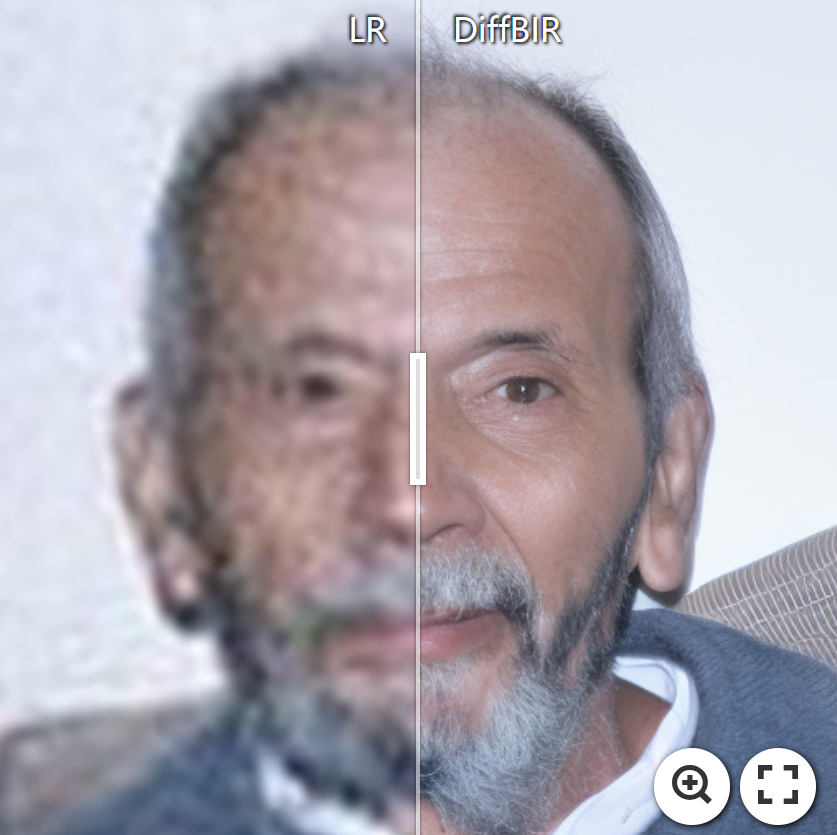
Example Output
Output
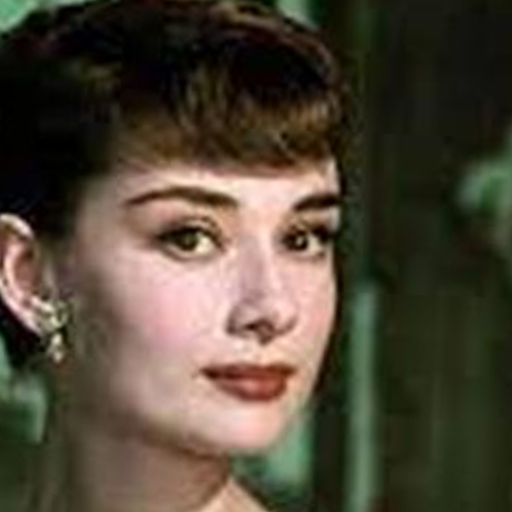
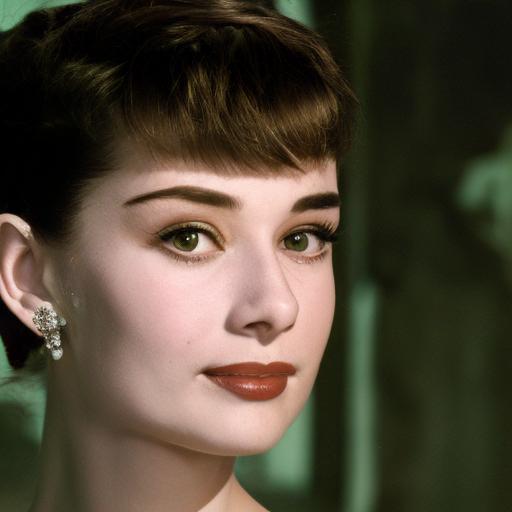
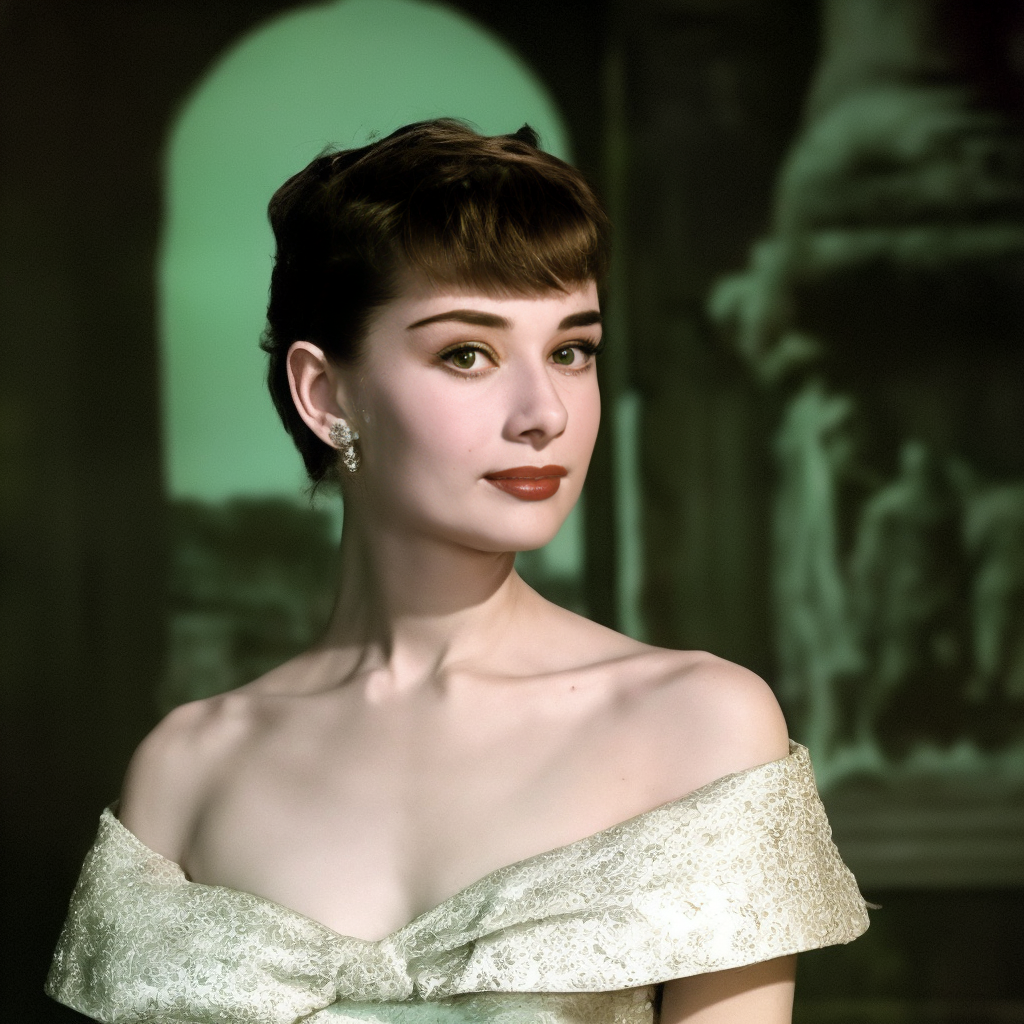
Performance Metrics
73.05s
Prediction Time
75.05s
Total Time
All Input Parameters
{
  "seed": 231,
  "input": "https://replicate.delivery/pbxt/JgdLVwRXXl4oaGqmF4Wdl7vOapnTlay32dE7B3UNgxSwylvQ/Audrey_Hepburn.jpg",
  "steps": 50,
  "tiled": false,
  "tile_size": 512,
  "has_aligned": false,
  "tile_stride": 256,
  "repeat_times": 1,
  "use_guidance": false,
  "color_fix_type": "wavelet",
  "guidance_scale": 0,
  "guidance_space": "latent",
  "guidance_repeat": 5,
  "only_center_face": false,
  "guidance_time_stop": -1,
  "guidance_time_start": 1001,
  "background_upsampler": "DiffBIR",
  "face_detection_model": "retinaface_resnet50",
  "upscaling_model_type": "faces",
  "restoration_model_type": "general_scenes",
  "super_resolution_factor": 2,
  "disable_preprocess_model": false,
  "reload_restoration_model": false,
  "background_upsampler_tile": 400,
  "background_upsampler_tile_stride": 400
}
Input Parameters
- seed
- Random seed to ensure reproducibility. Setting this ensures that multiple runs with the same input produce the same output.
- input (required)
- Path to the input image you want to enhance.
- steps
- The number of enhancement iterations to perform. More steps might result in a clearer image but can also introduce artifacts.
- tiled
- Whether to use patch-based sampling. This can be useful for very large images to enhance them in smaller chunks rather than all at once.
- tile_size
- Size of each tile (or patch) when 'tiled' option is enabled. Determines how the image is divided during patch-based enhancement.
- has_aligned
- For 'faces' mode: Indicates if the input images are already cropped and aligned to faces. If not, the model will attempt to do this.
- tile_stride
- Distance between the start of each tile when the image is divided for patch-based enhancement. A smaller stride means more overlap between tiles.
- repeat_times
- Number of times the enhancement process is repeated by feeding the output back as input. This can refine the result but might also introduce over-enhancement issues.
- use_guidance
- Use latent image guidance for enhancement. This can help in achieving more accurate and contextually relevant enhancements.
- color_fix_type
- Method used for color correction post enhancement. 'wavelet' and 'adain' offer different styles of color correction, while 'none' skips this step.
- guidance_scale
- For 'general_scenes': Scale factor for the guidance mechanism. Adjusts the influence of guidance on the enhancement process.
- guidance_space
- For 'general_scenes': Determines in which space (RGB or latent) the guidance operates. 'latent' can often provide more subtle and context-aware enhancements.
- guidance_repeat
- For 'general_scenes': Number of times the guidance process is repeated during enhancement.
- only_center_face
- For 'faces' mode: If multiple faces are detected, only enhance the center-most face in the image.
- guidance_time_stop
- For 'general_scenes': Specifies when (at which step) the guidance mechanism stops influencing the enhancement.
- guidance_time_start
- For 'general_scenes': Specifies when (at which step) the guidance mechanism starts influencing the enhancement.
- background_upsampler
- For 'faces' mode: Model used to upscale the background in images where the primary subject is a face.
- face_detection_model
- For 'faces' mode: Model used for detecting faces in the image. Choose based on accuracy and speed preferences.
- upscaling_model_type
- Choose the type of model best suited for the primary content of the image: 'faces' for portraits and 'general_scenes' for everything else.
- restoration_model_type
- Select the restoration model that aligns with the content of your image. This model is responsible for image restoration which removes degradations.
- super_resolution_factor
- Factor by which the input image resolution should be increased. For instance, a factor of 4 will make the resolution 4 times greater in both height and width.
- disable_preprocess_model
- Disables the initial preprocessing step using SwinIR. Turn this off if your input image is already of high quality and doesn't require restoration.
- reload_restoration_model
- Reload the image restoration model (SwinIR) if set to True. This can be useful if you've updated or changed the underlying SwinIR model.
- background_upsampler_tile
- For 'faces' mode: Size of each tile used by the background upsampler when dividing the image into patches.
- background_upsampler_tile_stride
- For 'faces' mode: Distance between the start of each tile when the background is divided for upscaling. A smaller stride means more overlap between tiles.
Output Schema
Output
Example Execution Logs
ckptckptckpt weights/face_full_v1.ckpt
Switching from mode 'FULL' to 'FACE'...
Building and loading 'FACE' mode model...
ControlLDM: Running in eps-prediction mode
Setting up MemoryEfficientCrossAttention. Query dim is 320, context_dim is None and using 5 heads.
Setting up MemoryEfficientCrossAttention. Query dim is 320, context_dim is 1024 and using 5 heads.
Setting up MemoryEfficientCrossAttention. Query dim is 320, context_dim is None and using 5 heads.
Setting up MemoryEfficientCrossAttention. Query dim is 320, context_dim is 1024 and using 5 heads.
Setting up MemoryEfficientCrossAttention. Query dim is 640, context_dim is None and using 10 heads.
Setting up MemoryEfficientCrossAttention. Query dim is 640, context_dim is 1024 and using 10 heads.
Setting up MemoryEfficientCrossAttention. Query dim is 640, context_dim is None and using 10 heads.
Setting up MemoryEfficientCrossAttention. Query dim is 640, context_dim is 1024 and using 10 heads.
Setting up MemoryEfficientCrossAttention. Query dim is 1280, context_dim is None and using 20 heads.
Setting up MemoryEfficientCrossAttention. Query dim is 1280, context_dim is 1024 and using 20 heads.
Setting up MemoryEfficientCrossAttention. Query dim is 1280, context_dim is None and using 20 heads.
Setting up MemoryEfficientCrossAttention. Query dim is 1280, context_dim is 1024 and using 20 heads.
Setting up MemoryEfficientCrossAttention. Query dim is 1280, context_dim is None and using 20 heads.
Setting up MemoryEfficientCrossAttention. Query dim is 1280, context_dim is 1024 and using 20 heads.
Setting up MemoryEfficientCrossAttention. Query dim is 1280, context_dim is None and using 20 heads.
Setting up MemoryEfficientCrossAttention. Query dim is 1280, context_dim is 1024 and using 20 heads.
Setting up MemoryEfficientCrossAttention. Query dim is 1280, context_dim is None and using 20 heads.
Setting up MemoryEfficientCrossAttention. Query dim is 1280, context_dim is 1024 and using 20 heads.
Setting up MemoryEfficientCrossAttention. Query dim is 1280, context_dim is None and using 20 heads.
Setting up MemoryEfficientCrossAttention. Query dim is 1280, context_dim is 1024 and using 20 heads.
Setting up MemoryEfficientCrossAttention. Query dim is 640, context_dim is None and using 10 heads.
Setting up MemoryEfficientCrossAttention. Query dim is 640, context_dim is 1024 and using 10 heads.
Setting up MemoryEfficientCrossAttention. Query dim is 640, context_dim is None and using 10 heads.
Setting up MemoryEfficientCrossAttention. Query dim is 640, context_dim is 1024 and using 10 heads.
Setting up MemoryEfficientCrossAttention. Query dim is 640, context_dim is None and using 10 heads.
Setting up MemoryEfficientCrossAttention. Query dim is 640, context_dim is 1024 and using 10 heads.
Setting up MemoryEfficientCrossAttention. Query dim is 320, context_dim is None and using 5 heads.
Setting up MemoryEfficientCrossAttention. Query dim is 320, context_dim is 1024 and using 5 heads.
Setting up MemoryEfficientCrossAttention. Query dim is 320, context_dim is None and using 5 heads.
Setting up MemoryEfficientCrossAttention. Query dim is 320, context_dim is 1024 and using 5 heads.
Setting up MemoryEfficientCrossAttention. Query dim is 320, context_dim is None and using 5 heads.
Setting up MemoryEfficientCrossAttention. Query dim is 320, context_dim is 1024 and using 5 heads.
DiffusionWrapper has 865.91 M params.
making attention of type 'vanilla-xformers' with 512 in_channels
building MemoryEfficientAttnBlock with 512 in_channels...
Working with z of shape (1, 4, 32, 32) = 4096 dimensions.
making attention of type 'vanilla-xformers' with 512 in_channels
building MemoryEfficientAttnBlock with 512 in_channels...
Setting up MemoryEfficientCrossAttention. Query dim is 320, context_dim is None and using 5 heads.
Setting up MemoryEfficientCrossAttention. Query dim is 320, context_dim is 1024 and using 5 heads.
Setting up MemoryEfficientCrossAttention. Query dim is 320, context_dim is None and using 5 heads.
Setting up MemoryEfficientCrossAttention. Query dim is 320, context_dim is 1024 and using 5 heads.
Setting up MemoryEfficientCrossAttention. Query dim is 640, context_dim is None and using 10 heads.
Setting up MemoryEfficientCrossAttention. Query dim is 640, context_dim is 1024 and using 10 heads.
Setting up MemoryEfficientCrossAttention. Query dim is 640, context_dim is None and using 10 heads.
Setting up MemoryEfficientCrossAttention. Query dim is 640, context_dim is 1024 and using 10 heads.
Setting up MemoryEfficientCrossAttention. Query dim is 1280, context_dim is None and using 20 heads.
Setting up MemoryEfficientCrossAttention. Query dim is 1280, context_dim is 1024 and using 20 heads.
Setting up MemoryEfficientCrossAttention. Query dim is 1280, context_dim is None and using 20 heads.
Setting up MemoryEfficientCrossAttention. Query dim is 1280, context_dim is 1024 and using 20 heads.
Setting up MemoryEfficientCrossAttention. Query dim is 1280, context_dim is None and using 20 heads.
Setting up MemoryEfficientCrossAttention. Query dim is 1280, context_dim is 1024 and using 20 heads.
Setting up [LPIPS] perceptual loss: trunk [alex], v[0.1], spatial [off]
Loading model from: /root/.pyenv/versions/3.9.18/lib/python3.9/site-packages/lpips/weights/v0.1/alex.pth
reload swinir model from weights/general_swinir_v1.ckpt
ENABLE XFORMERS!
Model successfully switched to 'FACE' mode.
{'bg_tile': 400,
'bg_tile_stride': 400,
'bg_upsampler': 'DiffBIR',
'ckpt': 'weights/face_full_v1.ckpt',
'color_fix_type': 'wavelet',
'config': 'configs/model/cldm.yaml',
'detection_model': 'retinaface_resnet50',
'device': 'cuda',
'disable_preprocess_model': False,
'g_repeat': 5,
'g_scale': 0.0,
'g_space': 'latent',
'g_t_start': 1001,
'g_t_stop': -1,
'has_aligned': False,
'image_size': 512,
'input': '/tmp/tmpwg3l1z7wAudrey_Hepburn.jpg',
'only_center_face': False,
'output': '.',
'reload_swinir': False,
'repeat_times': 1,
'seed': 231,
'show_lq': False,
'skip_if_exist': False,
'sr_scale': 2,
'steps': 50,
'swinir_ckpt': 'weights/general_swinir_v1.ckpt',
'tile_size': 512,
'tile_stride': 256,
'tiled': False,
'use_guidance': False}
Global seed set to 231
/root/.pyenv/versions/3.9.18/lib/python3.9/site-packages/torchvision/models/_utils.py:223: UserWarning: Arguments other than a weight enum or `None` for 'weights' are deprecated since 0.13 and may be removed in the future. The current behavior is equivalent to passing `weights=None`.
warnings.warn(msg)
Downloading: "https://github.com/xinntao/facexlib/releases/download/v0.1.0/detection_Resnet50_Final.pth" to /root/.pyenv/versions/3.9.18/lib/python3.9/site-packages/facexlib/weights/detection_Resnet50_Final.pth
  0%|          | 0.00/104M [00:00<?, ?B/s]
 37%|███▋      | 38.6M/104M [00:00<00:00, 405MB/s]
 76%|███████▋  | 79.8M/104M [00:00<00:00, 421MB/s]
100%|██████████| 104M/104M [00:00<00:00, 423MB/s]
Downloading: "https://github.com/xinntao/facexlib/releases/download/v0.2.2/parsing_parsenet.pth" to /root/.pyenv/versions/3.9.18/lib/python3.9/site-packages/facexlib/weights/parsing_parsenet.pth
  0%|          | 0.00/81.4M [00:00<?, ?B/s]
 37%|███▋      | 30.4M/81.4M [00:00<00:00, 319MB/s]
 87%|████████▋ | 70.5M/81.4M [00:00<00:00, 378MB/s]
100%|██████████| 81.4M/81.4M [00:00<00:00, 378MB/s]
ControlLDM: Running in eps-prediction mode
Setting up MemoryEfficientCrossAttention. Query dim is 320, context_dim is None and using 5 heads.
Setting up MemoryEfficientCrossAttention. Query dim is 320, context_dim is 1024 and using 5 heads.
Setting up MemoryEfficientCrossAttention. Query dim is 320, context_dim is None and using 5 heads.
Setting up MemoryEfficientCrossAttention. Query dim is 320, context_dim is 1024 and using 5 heads.
Setting up MemoryEfficientCrossAttention. Query dim is 640, context_dim is None and using 10 heads.
Setting up MemoryEfficientCrossAttention. Query dim is 640, context_dim is 1024 and using 10 heads.
Setting up MemoryEfficientCrossAttention. Query dim is 640, context_dim is None and using 10 heads.
Setting up MemoryEfficientCrossAttention. Query dim is 640, context_dim is 1024 and using 10 heads.
Setting up MemoryEfficientCrossAttention. Query dim is 1280, context_dim is None and using 20 heads.
Setting up MemoryEfficientCrossAttention. Query dim is 1280, context_dim is 1024 and using 20 heads.
Setting up MemoryEfficientCrossAttention. Query dim is 1280, context_dim is None and using 20 heads.
Setting up MemoryEfficientCrossAttention. Query dim is 1280, context_dim is 1024 and using 20 heads.
Setting up MemoryEfficientCrossAttention. Query dim is 1280, context_dim is None and using 20 heads.
Setting up MemoryEfficientCrossAttention. Query dim is 1280, context_dim is 1024 and using 20 heads.
Setting up MemoryEfficientCrossAttention. Query dim is 1280, context_dim is None and using 20 heads.
Setting up MemoryEfficientCrossAttention. Query dim is 1280, context_dim is 1024 and using 20 heads.
Setting up MemoryEfficientCrossAttention. Query dim is 1280, context_dim is None and using 20 heads.
Setting up MemoryEfficientCrossAttention. Query dim is 1280, context_dim is 1024 and using 20 heads.
Setting up MemoryEfficientCrossAttention. Query dim is 1280, context_dim is None and using 20 heads.
Setting up MemoryEfficientCrossAttention. Query dim is 1280, context_dim is 1024 and using 20 heads.
Setting up MemoryEfficientCrossAttention. Query dim is 640, context_dim is None and using 10 heads.
Setting up MemoryEfficientCrossAttention. Query dim is 640, context_dim is 1024 and using 10 heads.
Setting up MemoryEfficientCrossAttention. Query dim is 640, context_dim is None and using 10 heads.
Setting up MemoryEfficientCrossAttention. Query dim is 640, context_dim is 1024 and using 10 heads.
Setting up MemoryEfficientCrossAttention. Query dim is 640, context_dim is None and using 10 heads.
Setting up MemoryEfficientCrossAttention. Query dim is 640, context_dim is 1024 and using 10 heads.
Setting up MemoryEfficientCrossAttention. Query dim is 320, context_dim is None and using 5 heads.
Setting up MemoryEfficientCrossAttention. Query dim is 320, context_dim is 1024 and using 5 heads.
Setting up MemoryEfficientCrossAttention. Query dim is 320, context_dim is None and using 5 heads.
Setting up MemoryEfficientCrossAttention. Query dim is 320, context_dim is 1024 and using 5 heads.
Setting up MemoryEfficientCrossAttention. Query dim is 320, context_dim is None and using 5 heads.
Setting up MemoryEfficientCrossAttention. Query dim is 320, context_dim is 1024 and using 5 heads.
DiffusionWrapper has 865.91 M params.
making attention of type 'vanilla-xformers' with 512 in_channels
building MemoryEfficientAttnBlock with 512 in_channels...
Working with z of shape (1, 4, 32, 32) = 4096 dimensions.
making attention of type 'vanilla-xformers' with 512 in_channels
building MemoryEfficientAttnBlock with 512 in_channels...
Setting up MemoryEfficientCrossAttention. Query dim is 320, context_dim is None and using 5 heads.
Setting up MemoryEfficientCrossAttention. Query dim is 320, context_dim is 1024 and using 5 heads.
Setting up MemoryEfficientCrossAttention. Query dim is 320, context_dim is None and using 5 heads.
Setting up MemoryEfficientCrossAttention. Query dim is 320, context_dim is 1024 and using 5 heads.
Setting up MemoryEfficientCrossAttention. Query dim is 640, context_dim is None and using 10 heads.
Setting up MemoryEfficientCrossAttention. Query dim is 640, context_dim is 1024 and using 10 heads.
Setting up MemoryEfficientCrossAttention. Query dim is 640, context_dim is None and using 10 heads.
Setting up MemoryEfficientCrossAttention. Query dim is 640, context_dim is 1024 and using 10 heads.
Setting up MemoryEfficientCrossAttention. Query dim is 1280, context_dim is None and using 20 heads.
Setting up MemoryEfficientCrossAttention. Query dim is 1280, context_dim is 1024 and using 20 heads.
Setting up MemoryEfficientCrossAttention. Query dim is 1280, context_dim is None and using 20 heads.
Setting up MemoryEfficientCrossAttention. Query dim is 1280, context_dim is 1024 and using 20 heads.
Setting up MemoryEfficientCrossAttention. Query dim is 1280, context_dim is None and using 20 heads.
Setting up MemoryEfficientCrossAttention. Query dim is 1280, context_dim is 1024 and using 20 heads.
Setting up [LPIPS] perceptual loss: trunk [alex], v[0.1], spatial [off]
Loading model from: /root/.pyenv/versions/3.9.18/lib/python3.9/site-packages/lpips/weights/v0.1/alex.pth
reload swinir model from weights/general_swinir_v1.ckpt
timesteps used in spaced sampler:
[0, 20, 41, 61, 82, 102, 122, 143, 163, 183, 204, 224, 245, 265, 285, 306, 326, 347, 367, 387, 408, 428, 449, 469, 489, 510, 530, 550, 571, 591, 612, 632, 652, 673, 693, 714, 734, 754, 775, 795, 816, 836, 856, 877, 897, 917, 938, 958, 979, 999]
Spaced Sampler:   0%|          | 0/50 [00:00<?, ?it/s]
Spaced Sampler:   2%|▏         | 1/50 [00:00<00:10,  4.82it/s]
Spaced Sampler:   6%|▌         | 3/50 [00:00<00:05,  8.76it/s]
Spaced Sampler:  10%|█         | 5/50 [00:00<00:04, 10.31it/s]
Spaced Sampler:  14%|█▍        | 7/50 [00:00<00:03, 11.08it/s]
Spaced Sampler:  18%|█▊        | 9/50 [00:00<00:03, 11.51it/s]
Spaced Sampler:  22%|██▏       | 11/50 [00:01<00:03, 11.78it/s]
Spaced Sampler:  26%|██▌       | 13/50 [00:01<00:03, 11.95it/s]
Spaced Sampler:  30%|███       | 15/50 [00:01<00:02, 12.06it/s]
Spaced Sampler:  34%|███▍      | 17/50 [00:01<00:02, 12.11it/s]
Spaced Sampler:  38%|███▊      | 19/50 [00:01<00:02, 12.16it/s]
Spaced Sampler:  42%|████▏     | 21/50 [00:01<00:02, 12.20it/s]
Spaced Sampler:  46%|████▌     | 23/50 [00:01<00:02, 12.23it/s]
Spaced Sampler:  50%|█████     | 25/50 [00:02<00:02, 12.25it/s]
Spaced Sampler:  54%|█████▍    | 27/50 [00:02<00:01, 12.27it/s]
Spaced Sampler:  58%|█████▊    | 29/50 [00:02<00:01, 12.26it/s]
Spaced Sampler:  62%|██████▏   | 31/50 [00:02<00:01, 12.25it/s]
Spaced Sampler:  66%|██████▌   | 33/50 [00:02<00:01, 12.25it/s]
Spaced Sampler:  70%|███████   | 35/50 [00:02<00:01, 12.26it/s]
Spaced Sampler:  74%|███████▍  | 37/50 [00:03<00:01, 12.27it/s]
Spaced Sampler:  78%|███████▊  | 39/50 [00:03<00:00, 12.27it/s]
Spaced Sampler:  82%|████████▏ | 41/50 [00:03<00:00, 12.26it/s]
Spaced Sampler:  86%|████████▌ | 43/50 [00:03<00:00, 12.24it/s]
Spaced Sampler:  90%|█████████ | 45/50 [00:03<00:00, 12.24it/s]
Spaced Sampler:  94%|█████████▍| 47/50 [00:03<00:00, 12.24it/s]
Spaced Sampler:  98%|█████████▊| 49/50 [00:04<00:00, 12.25it/s]
Spaced Sampler: 100%|██████████| 50/50 [00:04<00:00, 11.91it/s]
upsampling the background image using DiffBIR...
timesteps used in spaced sampler:
[0, 20, 41, 61, 82, 102, 122, 143, 163, 183, 204, 224, 245, 265, 285, 306, 326, 347, 367, 387, 408, 428, 449, 469, 489, 510, 530, 550, 571, 591, 612, 632, 652, 673, 693, 714, 734, 754, 775, 795, 816, 836, 856, 877, 897, 917, 938, 958, 979, 999]
Spaced Sampler:   0%|          | 0/50 [00:00<?, ?it/s]
Spaced Sampler:   2%|▏         | 1/50 [00:00<00:44,  1.11it/s]
Spaced Sampler:   4%|▍         | 2/50 [00:01<00:28,  1.67it/s]
Spaced Sampler:   6%|▌         | 3/50 [00:01<00:23,  1.98it/s]
Spaced Sampler:   8%|▊         | 4/50 [00:02<00:21,  2.18it/s]
Spaced Sampler:  10%|█         | 5/50 [00:02<00:19,  2.30it/s]
Spaced Sampler:  12%|█▏        | 6/50 [00:02<00:18,  2.38it/s]
Spaced Sampler:  14%|█▍        | 7/50 [00:03<00:17,  2.44it/s]
Spaced Sampler:  16%|█▌        | 8/50 [00:03<00:16,  2.48it/s]
Spaced Sampler:  18%|█▊        | 9/50 [00:04<00:16,  2.51it/s]
Spaced Sampler:  20%|██        | 10/50 [00:04<00:15,  2.53it/s]
Spaced Sampler:  22%|██▏       | 11/50 [00:04<00:15,  2.54it/s]
Spaced Sampler:  24%|██▍       | 12/50 [00:05<00:14,  2.55it/s]
Spaced Sampler:  26%|██▌       | 13/50 [00:05<00:14,  2.55it/s]
Spaced Sampler:  28%|██▊       | 14/50 [00:05<00:14,  2.56it/s]
Spaced Sampler:  30%|███       | 15/50 [00:06<00:13,  2.56it/s]
Spaced Sampler:  32%|███▏      | 16/50 [00:06<00:13,  2.56it/s]
Spaced Sampler:  34%|███▍      | 17/50 [00:07<00:12,  2.56it/s]
Spaced Sampler:  36%|███▌      | 18/50 [00:07<00:12,  2.56it/s]
Spaced Sampler:  38%|███▊      | 19/50 [00:07<00:12,  2.56it/s]
Spaced Sampler:  40%|████      | 20/50 [00:08<00:11,  2.56it/s]
Spaced Sampler:  42%|████▏     | 21/50 [00:08<00:11,  2.56it/s]
Spaced Sampler:  44%|████▍     | 22/50 [00:09<00:10,  2.56it/s]
Spaced Sampler:  46%|████▌     | 23/50 [00:09<00:10,  2.56it/s]
Spaced Sampler:  48%|████▊     | 24/50 [00:09<00:10,  2.56it/s]
Spaced Sampler:  50%|█████     | 25/50 [00:10<00:09,  2.56it/s]
Spaced Sampler:  52%|█████▏    | 26/50 [00:10<00:09,  2.56it/s]
Spaced Sampler:  54%|█████▍    | 27/50 [00:11<00:08,  2.56it/s]
Spaced Sampler:  56%|█████▌    | 28/50 [00:11<00:08,  2.56it/s]
Spaced Sampler:  58%|█████▊    | 29/50 [00:11<00:08,  2.56it/s]
Spaced Sampler:  60%|██████    | 30/50 [00:12<00:07,  2.56it/s]
Spaced Sampler:  62%|██████▏   | 31/50 [00:12<00:07,  2.56it/s]
Spaced Sampler:  64%|██████▍   | 32/50 [00:12<00:07,  2.56it/s]
Spaced Sampler:  66%|██████▌   | 33/50 [00:13<00:06,  2.56it/s]
Spaced Sampler:  68%|██████▊   | 34/50 [00:13<00:06,  2.56it/s]
Spaced Sampler:  70%|███████   | 35/50 [00:14<00:05,  2.56it/s]
Spaced Sampler:  72%|███████▏  | 36/50 [00:14<00:05,  2.55it/s]
Spaced Sampler:  74%|███████▍  | 37/50 [00:14<00:05,  2.56it/s]
Spaced Sampler:  76%|███████▌  | 38/50 [00:15<00:04,  2.55it/s]
Spaced Sampler:  78%|███████▊  | 39/50 [00:15<00:04,  2.55it/s]
Spaced Sampler:  80%|████████  | 40/50 [00:16<00:03,  2.55it/s]
Spaced Sampler:  82%|████████▏ | 41/50 [00:16<00:03,  2.55it/s]
Spaced Sampler:  84%|████████▍ | 42/50 [00:16<00:03,  2.55it/s]
Spaced Sampler:  86%|████████▌ | 43/50 [00:17<00:02,  2.55it/s]
Spaced Sampler:  88%|████████▊ | 44/50 [00:17<00:02,  2.55it/s]
Spaced Sampler:  90%|█████████ | 45/50 [00:18<00:01,  2.55it/s]
Spaced Sampler:  92%|█████████▏| 46/50 [00:18<00:01,  2.55it/s]
Spaced Sampler:  94%|█████████▍| 47/50 [00:18<00:01,  2.55it/s]
Spaced Sampler:  96%|█████████▌| 48/50 [00:19<00:00,  2.55it/s]
Spaced Sampler:  98%|█████████▊| 49/50 [00:19<00:00,  2.55it/s]
Spaced Sampler: 100%|██████████| 50/50 [00:20<00:00,  2.55it/s]
Spaced Sampler: 100%|██████████| 50/50 [00:20<00:00,  2.49it/s]
Face image tmpwg3l1z7wAudrey_Hepburn saved to ./..
Version Details
- Version ID
51ed1464d8bbbaca811153b051d3b09ab42f0bdeb85804ae26ba323d7a66a4ac- Version Created
- October 12, 2023