prunaai/z-image-turbo 🔢📝✓❓ → 🖼️
Performance
1.4sTypical run time
57.6MTotal runs
About
Z-Image Turbo is a super fast text-to-image model of 6B parameters developed by Tongyi-MAI.
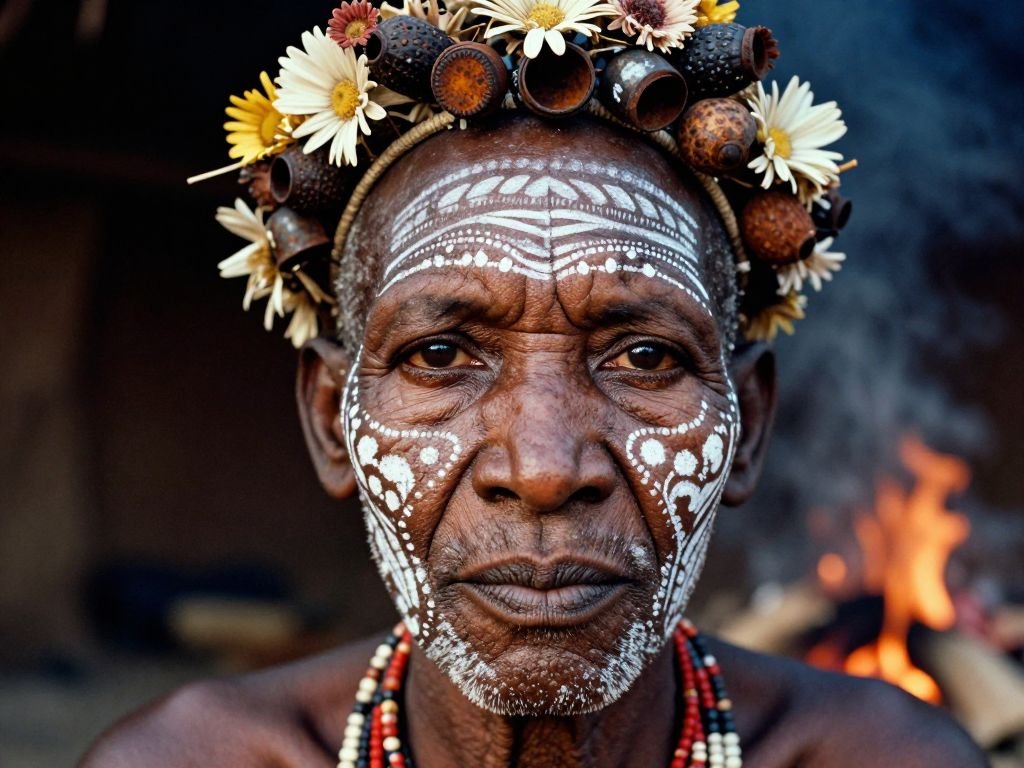
Example Output
Prompt:
"A hyper-realistic, close-up portrait of a tribal elder from the Omo Valley, painted with intricate white chalk patterns and adorned with a headdress made of dried flowers, seed pods, and rusted bottle caps. The focus is razor-sharp on the texture of the skin, showing every pore, wrinkle, and scar that tells a story of survival. The background is a blurred, smoky hut interior, with the warm glow of a cooking fire reflecting in the subject's dark, soulful eyes. Shot on a Leica M6 with Kodak Portra 400 film grain aesthetic."
Output
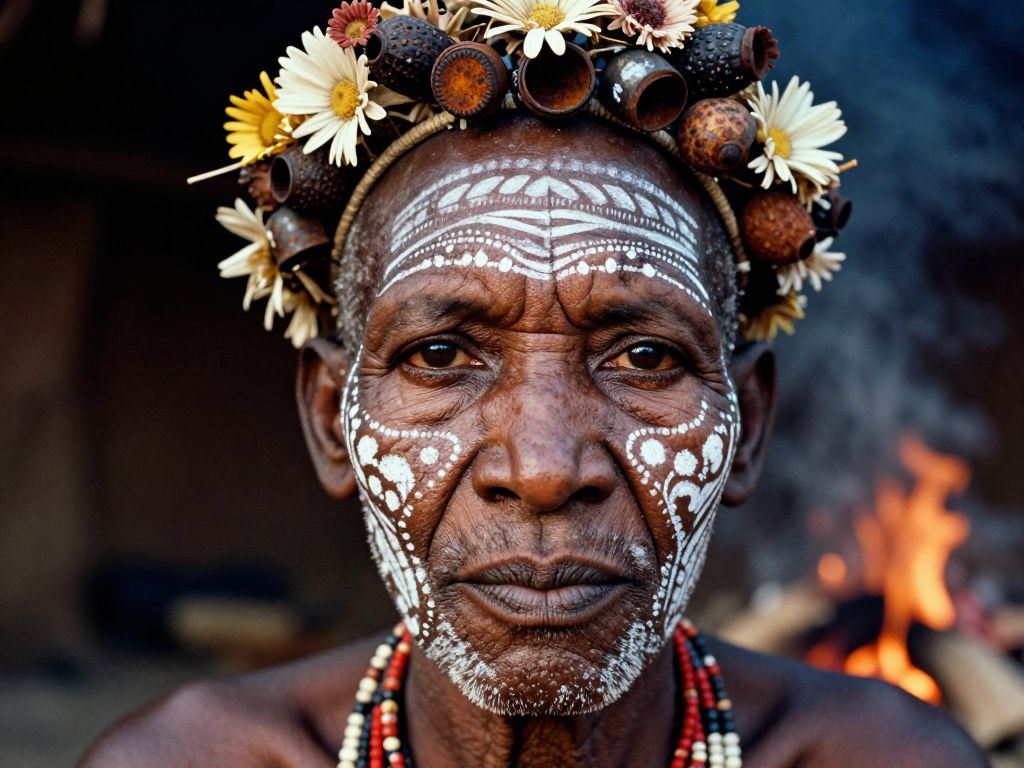
Performance Metrics
1.43s
Prediction Time
1.45s
Total Time
All Input Parameters
{
  "width": 1024,
  "height": 768,
  "prompt": "A hyper-realistic, close-up portrait of a tribal elder from the Omo Valley, painted with intricate white chalk patterns and adorned with a headdress made of dried flowers, seed pods, and rusted bottle caps. The focus is razor-sharp on the texture of the skin, showing every pore, wrinkle, and scar that tells a story of survival. The background is a blurred, smoky hut interior, with the warm glow of a cooking fire reflecting in the subject's dark, soulful eyes. Shot on a Leica M6 with Kodak Portra 400 film grain aesthetic.",
  "output_format": "jpg",
  "guidance_scale": 0,
  "output_quality": 80,
  "num_inference_steps": 8
}
Input Parameters
- seed
- Random seed. Set for reproducible generation
- width
- Width of the generated image
- height
- Height of the generated image
- prompt (required)
- Text prompt for image generation
- go_fast
- Unused compatibility field; this endpoint always runs the optimized fast path.
- megapixels
- Unused compatibility field; set width/height directly instead.
- num_outputs
- Number of output images to generate (currently only 1 is supported).
- aspect_ratio
- Unused compatibility field; set width/height directly instead.
- model_version
- Unused compatibility field; this endpoint always runs Z-Image-Turbo.
- output_format
- Format of the output images
- guidance_scale
- Guidance scale. Should be 0 for Turbo models
- output_quality
- Quality when saving the output images, from 0 to 100. 100 is best quality, 0 is lowest quality. Not relevant for .png outputs
- negative_prompt
- Unused compatibility field; Z-Image-Turbo is guidance-free (guidance_scale=0) and does not use negative prompts.
- safety_tolerance
- Unused compatibility field for Flux-style clients; this model has no safety checker.
- num_inference_steps
- Number of inference steps. Z-Image-Turbo is distilled for 8 steps: values above 8 are capped at 8.
- enable_safety_checker
- Unused compatibility field; this model has no safety checker.
- disable_safety_checker
- Unused compatibility field; this model has no safety checker.
Output Schema
Output
Example Execution Logs
0%|          | 0/9 [00:00<?, ?it/s]
 11%|█         | 1/9 [00:00<00:01,  6.72it/s]
 33%|███▎      | 3/9 [00:00<00:00,  7.89it/s]
 44%|████▍     | 4/9 [00:00<00:00,  7.51it/s]
 56%|█████▌    | 5/9 [00:00<00:00,  7.28it/s]
 67%|██████▋   | 6/9 [00:00<00:00,  7.14it/s]
 78%|███████▊  | 7/9 [00:00<00:00,  7.05it/s]
 89%|████████▉ | 8/9 [00:01<00:00,  6.99it/s]
100%|██████████| 9/9 [00:01<00:00,  6.95it/s]
100%|██████████| 9/9 [00:01<00:00,  7.14it/s]
Version Details
- Version ID
2c19b77bd0db11b4cf1ced23a89be98fa1e4457f06a103c35457cf6ccd01a118- Version Created
- October 15, 2026